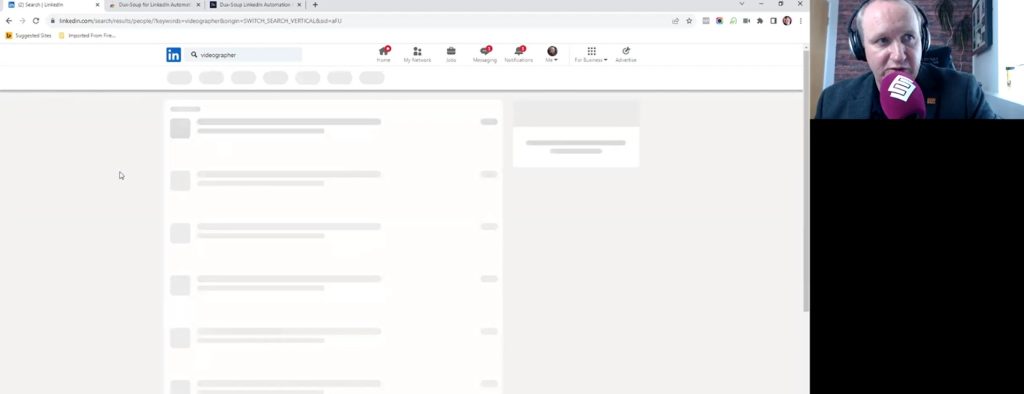
In the final video of our LinkedIn visitor-inviting series, Darren Jamieson demonstrates how he combines LinkedIn with Dux-Soup to automate the process of finding and contacting potential BNI visitors.
He describes it as “LinkedIn visitor inviting on steroids” and walks through the process step by step.
Darren begins by searching for a profession his chapter needs; in this example, a videographer. A broad LinkedIn search produces hundreds of thousands of results, so he explains how to narrow them down to people who are actually worth contacting.
He filters the results to show only second-degree connections, removing people he is already connected with and focusing on those he can realistically reach through LinkedIn.
Location is equally important.
As Darren’s chapter is based in Chester, he starts by searching locally before widening the area to include Wrexham, the Wirral, Warrington, Runcorn and the wider Cheshire West and Chester area. This gives him a much more focused group of videographers who could genuinely attend the chapter.
Darren also shares a useful LinkedIn search tip using Utility Warehouse as an example. When searching for a phrase made up of more than one word, he recommends putting quotation marks around it. Without them, LinkedIn may return people who match only one of the individual words, leading to irrelevant results and potentially awkward messages.
Once the search is ready, Darren turns to Dux-Soup.
The software can work through the LinkedIn results automatically, visiting profiles and sending connection requests while skipping people who do not meet Darren’s chosen criteria. That includes people without profile photos, people he has recently visited, or those he has already invited to connect.
However, Darren makes it clear that the automation itself is not the most important part.
The message is.
His standard opening message asks whether the person is able to take on more business, explains that he works with a group of business owners looking for somebody good to refer work to, and asks whether they are free on Thursday morning.
For the videographer search, he makes the wording more specific so the recipient knows he is talking about video work rather than photography or another related service.
One of the most interesting parts of Darren’s approach is what he deliberately leaves out.
He does not mention BNI.
He does not say it is a networking meeting.
He does not mention the 6:45am start.
The aim of the first message is simply to get a response and open the conversation. The rest of the information can come later.
Darren also recommends keeping automated personalisation simple. Although Dux-Soup can pull in details such as industry or company name, LinkedIn data is not always accurate. He therefore prefers to use only the person’s first name rather than risk sending a message that sounds obviously automated or incorrect.
Finally, Darren explains why the same search can be worth running again in the future. Every new connection changes the wider network around you, creating new second-degree connections who may not have appeared in the original search.
The result is a repeatable system that combines accurate LinkedIn targeting, a carefully written first message and automation to create more opportunities for BNI visitor conversations.
Full Transcript
00:14
What I’m going to show you now is how the inviting on LinkedIn, what I call LinkedIn on steroids, actually works. And in order to do this, we need to use a piece of third-party software called Dux-Soup.
00:30
So, what you need to do is, in Google, if we go to, and we’re going to Google this, Dux-Soup. You can see I’ve searched for this before, and it’s called LinkedIn automation. Try Dux-Soup for free.
00:38
Now, as I said, there is a free trial of this. So, if we go over to Dux-Soup, there is a, I think it’s a 28-day free trial.
00:52
And on the 28-day free trial, you get the full version of Dux-Soup. So, you get all of the online control panel and the scheduling, and it does all these really cool things that you don’t necessarily… Oh, sorry. It’s a 14-day free trial. I can see it right there in front of me.
01:08
You don’t necessarily need all of these features because if you have all of that, it’s actually quite expensive. Just see if they’ve got prices on here.
01:16
Here we go. Pricing. It is… there we go. For the Turbo, it’s £32 a month.
01:24
So £32 a month, which gets you all of the online control panel, and that allows you to essentially schedule, essentially plan up, say, thousands and thousands of visitor invites and just queue them up. So you can leave it there and you can go away. You can go away for six months and it’ll keep inviting people for you.
01:41
I don’t use that one. I use the one in the middle, which is the Pro one, which, as you can see, is £9.80 per month.
01:50
And this does as much as I need for visitor inviting. It’s a really cool tool. I’m going to show you how it works right now. But the first thing you need to do once you’ve signed up to Dux-Soup and you’ve got it, whether you’ve got the Pro version or whether you’ve got the regular one, is you’re going to need your Google Chrome add-on.
02:06
So, I’m using Google Chrome, not Firefox, not Microsoft Edge, not Safari. It’s got to be Google Chrome.
02:13
And when you search for Dux-Soup, you’ve got Dux-Soup for LinkedIn automation, Google Chrome add-on. And this is what it looks like here.
02:22
Because I’ve already got it installed, I’ve got the option remove from Google Chrome.
02:26
I’m not going to do that because it’s already in there. And if you see up here, right at the top of the browser, you see a little red… It’s meant to be a duck, as in Dux. It doesn’t look like a duck. It looks more like a swan to me or a goose, but it’s meant to be a duck.
02:41
And that’s what it looks like when it’s installed in the browser and it’s not running. So, Dux-Soup Professional Edition. Click on that. Those are my options within Dux-Soup, but we don’t need to touch that yet. We’re going to go straight to LinkedIn and I’m going to show you how this works.
02:56
So, in another browser, I have LinkedIn. Here we go. Here’s my LinkedIn. There’s Michael David Roberts there. Videographer. Very good videographer there if you need one.
03:04
What I’m going to do is I am going to find people I can invite to my BNI chapter. Now, say, for example, while Michael’s in front of me, say we were looking for a videographer. So what I would do is I would, as normal, search for a videographer up here.
03:19
So let’s go videographer. As you can see, it’s a search I’ve made many, many times before.
03:26
So when we make that search, we need to make sure we first of all filter it on people because we don’t want services, jobs or posts or just anything mentioning videographers. So we click on people to filter that down.
03:34
And we’ve got 328,000 people in my search for videographer, which is probably too many.
03:41
Now, the first thing we need to do is sort out the connections because you see the little notification up here, Dux-Soup at your service. It’s ready to go. It’s ready to go. We need to filter out connections because by default it’s searching on all of them.
03:57
First connection is no good to me because those are people I’m already connected with. Third connection is no good to me because those are the people I cannot connect with unless I’m on LinkedIn Premium and send them InMails and stuff. And I’m not going to do that. I don’t pay for LinkedIn. This is all free. So I need to click second connection and click show results.
04:19
And we’ll see that’s filtered it down now to 4,600 people. That’s a lot more manageable. But that’s 4,600 people who are my second connections. It’s still far too many. Plus, unless your chapter is an online chapter, you’re going to want people who are local to you.
04:37
Obviously, if you’re in an online chapter, this is brilliant. You can invite every single one of those. But we don’t want that. We want people who are local to me. So, I’m going to go into locations and I’m going to filter this down. Now, my chapter is in the Chester area in the UK. So, Chester, England.
04:53
Show results. Twelve. That’s actually more than I thought there would be considering the number of people I’ve invited lately. But I’ve got 12 people just in Chester. That’s pretty good. I’m quite excited about that, to be honest with you. I think I’m going to get a videographer next week.
05:10
But I can branch it out a little bit from Chester because Chester’s quite a small city. So I’m going to put in some local areas. So first of all, we’re going to have Wrexham. If you’re a Ryan Reynolds fan, you will be aware of Wrexham. That’s made it 21. Look at that. It’s almost doubled it. Almost doubled it. That’s pretty cool.
05:25
And then I’m going to also add Wirral. Wirral is a peninsula, or county you might call it, but it’s quite a large area next to us. And that’s made it 36. Okay, we’ve got 36 people there, but I want more than that.
05:43
I want more than that. So I’m also going to put in, let’s see, let’s have Warrington, which is quite a big area next to us. So, Warrington, England.
05:56
That takes the 36 and makes it 50. Let’s also add… You can add these more at the same time. You don’t have to keep clicking show results, by the way. I’m doing that to show you the difference.
06:06
Let’s add Runcorn, which isn’t too far away from us.
06:12
There we are. 53. And let’s add the big one, the big area, which is going to branch it out quite a bit. So, I’m going to add Greater Cheshire West and Chester area.
06:20
This is going to take in a lot of areas near us that are possibly too far away, like Macclesfield and Knutsford. It’s at the far end. I have had visitors come from Macclesfield and I’ve had visitors come from Knutsford, but you’re looking at 40, 45 minutes, maybe 50 minutes’ drive, even at six o’clock in the morning.
06:44
So it is at a push, but it’s a good way to get all of those areas in one go. And if I bring that up, we’ve got… there we are, 109. Now we’re talking. So that’s 109 people have shown up as videographers in those areas.
07:00
Now, what we could do is we could go down each one of those and click message or click connect, but we don’t want to do that because that’s manual. We’re going to let Dux-Soup do it for us. And I’m going to use Dux-Soup in a moment. Before I do that, I wanted to show you something else that’s important about the searching.
07:16
So I’m going to open a new tab for this. I’m going to click on that and open it in a new tab, and I’m going to show you why this is important. Let’s say, for example, I wanted to find people who are Utility Warehouse, which is a… sorry, it’s an area… is a network marketing company in the UK. There’s lots of people do Utility Warehouse.
07:39
If I click Utility Warehouse and I click people, 9,600. And you can see there’s a lot of these showing up as Utility Warehouse because I haven’t put speech marks around that search.
07:54
By just going for Utility Warehouse, what LinkedIn is doing is, yes, it’s bringing me people who are Utility Warehouse, but as it gets through into people that aren’t as relevant, it’s searching for people that have utility in their profile name or people who have warehouse in their profile name.
08:11
So I’m going to find there’s people in that 9,700 who are perhaps warehouse managers or they work at utility companies. Yeah, they’re not Utility Warehouse. So if you’re doing a search that has two words like that, it’s important to put the speech marks around it to filter it out.
08:34
8,700 now. See, it’s taken about a thousand people out. So that’s important. Otherwise, you’re going to be messaging people where they really are not relevant to what you do, and you’re going to get some odd responses back. A couple of times I have forgotten to put those speech marks in, which specifically narrows the search, and it doesn’t work. Take it from me, it doesn’t work if you do that.
08:51
So let’s go back to our videographer because that’s the one that I want. I’ve got a hundred people in there. Normally, I would probably want about 150, 200 people in one of these searches because what I’m going to do is I’m going to have Dux-Soup go through and invite each one of those, but it’s going to skip people out.
09:17
So, for example, the third one down there, Dan Atherton, videographer at JD Sports Fashion, it’s going to skip him out because he hasn’t got a profile photo. And these are the settings that you set up in Dux-Soup. So you want to skip people who haven’t got profile photos.
09:31
If they haven’t got a profile photo, it means they probably don’t use LinkedIn that much and it’s a waste of time inviting them. It’ll skip out people you’ve visited their profile, for example, in the last few weeks or the last few months because if you’ve visited them, then you’re already sort of engaging with them. It’ll skip out people you’ve already made a connection request to because you don’t want that as well. So it’s going to go through and skip a lot out. So it might not even get through 109 before it finishes.
09:58
Now, another important thing is it will imitate human behaviour. So when it sets off, it will go through and it will visit each one of the profiles before it sends a connection request, which is what LinkedIn would expect you to do if you were doing this manually.
10:14
And it won’t invite more than, say, 30 people in a day, in a 24-hour period, because that would be automation if you’re doing that. And it doesn’t do that. So what it will do is it will go through anything between 22, 23 people and about 30 and invite them, and then it’ll pause for 24 hours before it goes again.
10:37
So when I set this off, I’m going to have to leave Google Chrome on and leave the computer on running for the period of it doing it. Now, if I had, say, a thousand people in this filter, I’m probably going to leave it on four or five days and let it go through them. May even be more than that. May even be two weeks.
10:52
I’ve left this on before and gone on holiday. I’ve also taken it with me on a laptop and set it going in the hotel while I’ve been down by the pool, and it’s been inviting people while I’m sat by the pool and the responses are coming through to my phone. So you can just let this do what it’s going to do.
11:08
But the important thing is the message.
11:11
So what we do now is we click Dux-Soup up here. See, it’s green. It’s ready to go. And I’ve got connect, message, scan and stop. And what I want is connect.
11:20
So I’m going to click on the connect option. And it brings this up. Send connection requests. So we’ve got, “Hi FN.”
11:29
Now that’s a variable which means first name. So it’s going to substitute that for their first name. So that first person is going to say, “Hi Christopher, I hope you’re well. Are you able to take on more UW leads at the moment?” Now you see this is my message I left in before when I did Utility Warehouse inviting.
11:46
So I’m going to need to change this. If I sent that to these people, it would be weird and it just wouldn’t work. So I’m going to take my message I’ve got over here already copied in and ready to go.
11:58
So I’m going to copy that in here.
12:00
There we go. That’s my standard one. So, “Hi FN. I hope you’re well. Are you able to take on more business at the moment? I’m working with a group of business owners in Chester and we’re looking for someone really good to refer regular work to. Are you free on Thursday morning?” That’s my default message and I will send that to 90, 95% of the connections that I do this for.
12:24
Now, because I’ve made this videographer, there’s a lot of videographers who are also photographers. And there are some photographers who have videographer in their profile, but they’re really photographers. And in our chapter, we have a photographer. We can’t have someone come in and talk about photography.
12:39
So I need to be a bit clearer in the message what I’m asking them about because they may respond to me and say, “Are you looking for photography work? Are you looking for video work?” Or they might even be graphic design or animation and just have videographer listed in their profile. So I’m going to specify it a little bit.
12:54
So, “Hi first name. I hope you’re well. Are you able to take on more business at the moment? I’m working with a group of business owners in Chester and we’re looking for,” rather than “someone really good”, “we’re looking for a really good videographer to refer regular video work to. Are you free on Thursday morning?”
13:23
Now, I’m not mentioning the fact that it’s BNI. I’m not mentioning that it’s a networking meeting. I’m not saying it’s 6:45am. None of those things are coming in. It’s just, “Are you free on Thursday morning?”
13:30
Now, the majority of people who see this message and reply are going to say, “Yes, I am looking for more regular work. Yes, I’m free Thursday morning,” because they’ll think it’s just a phone call or a video call or possibly a meet-up in a café. They’re not going to suspect it’s a networking meeting. So you’re going to get a really positive response to this, but that’s what you want. You just want to get that first message. It’s all you want to do. Do not give them too much information.
14:03
Now, one thing that Dux-Soup does also offer, there’s other variables in here. So, for example, you can have an industry, and it will pull through the industry of what they are. So you might say, “I’m looking for somebody in the industry.” So it could be in the filmmaking industry, in the video industry.
14:23
But the way LinkedIn categorises people’s profiles is a little bit weird.
14:26
So I’ve had some really random messages go out, particularly to one person where it said, “in the games and casino industry”. And I don’t know where it got that from, but the response back was, “I’m not in the games and casino industry.” Of course you’re not. Why would you be?
14:40
So I don’t use that variable. I find that the first-name variable is really the only one you need to use. There’s no benefit to using a different one. Particularly with company name, for example, some people have multiple company names and you might be inviting them for Utility Warehouse and their company name is down as an IT company or down as a web design company. So it doesn’t make any sense. There’s a disconnect. So only go with the first-name variable. It’s all you need.
15:02
Now, when I click OK, now it’s going to start running, and all I’m going to have to do is just basically not shut the browser down.
15:11
So we click that and off we’ve got… Dux-Soup is starting. Then it’s going to be reloading page and then pausing for 18 seconds, and it does the pausing to again imitate human behaviour.
15:25
So it will wait so LinkedIn doesn’t think that you’re using some sort of automation because all it is is a macro in the browser which runs the browser and automates the browser. You can see there it goes and it’s off and running.
15:42
And it’s going through the profiles one by one, systematically sending connection requests to each person. You see there it’s skipping Christopher Smith, already invited in the past month. It’s skipping somebody else, invited in the past month. I’ll probably find it’s going to skip a lot of people because I’ve run this before.
15:58
But every new connection that you make means that all of their second connections then become your second connection. So every time you add new people to your list, you’re increasing the size of your second connections.
16:14
So it’s worth running even with the same search pattern. If you’re doing this every day, for example, it’s worth doing it once a week because you’re going to have new second connections that you didn’t previously have. So it’s definitely worth doing. And I will get people from that replying to me saying, “Yes, I’m interested,” and, “Yes, I’m free on Thursday morning,” and it will absolutely work. So that’s how you use Dux-Soup.
16:40
In the next video, I will show you about how you do the follow-up message and how you get to come along to your BNI without them knowing they’re even going to a BNI. Thank you.


 Subscribe for the latest BNI Education Slots